


Digital Skills for Older Adults
with NorWest Community Health Centres
2026-09-15 13:00:00
2026-09-15 14:30:00
America/New_York
Digital Skills for Older Adults
Technology changes fast, but you do not have to figure it out alone. This workshop series helps adults of all skill levels build digital confidence. Whether you want to talk with family, manage your health, or fix a slow phone, we are here to help.
County Park Library - Salon
Tuesday, September 15
1:00pm - 2:30pm
Add to Calendar
2026-09-15 13:00:00
2026-09-15 14:30:00
America/New_York
Digital Skills for Older Adults
Technology changes fast, but you do not have to figure it out alone. This workshop series helps adults of all skill levels build digital confidence. Whether you want to talk with family, manage your health, or fix a slow phone, we are here to help.
County Park Library - Salon
County Park Library
SalonTechnology changes fast, but you do not have to figure it out alone. This workshop series helps adults of all skill levels build digital confidence. Whether you want to talk with family, manage your health, or fix a slow phone, we are here to help.
 This programming is delivered by our partners at NorWest Community Health Centres.
What we'll cover through this series:
- Device Mastery: Expanding skills on smartphones, laptops, and desktops.
- Everyday Organization: Streamlining email and using digital calendars effectively.
- Understanding AI: A simple, plain-language look at Artificial Intelligence today.
- Scam Prevention: Practical strategies to protect your privacy and spot modern tech scams.
Weekly Session Breakdown
Week 1: September 8, 2026 - Deep Dive: Advanced Device Settings, Accessibility & System Diagnostics
- Beyond the Basics: Moving past basic Wi-Fi and brightness to master hidden device accessibility tools.
-
Advanced Topics:
- Customizing Screen Readers, VoiceOver/TalkBack, and Live Captions for audio/visual support.
- Deep-dive into battery health diagnostics, background app refresh, and managing cellular data usage.
- System updates vs. app updates: scheduling automatic backups and managing OS upgrades safely.
- Hands-On Task: Participants will perform a full device diagnostic check and customize high-contrast / text-to-speech tools on their own phones/laptops.
Week 2: September 15, 2026 - Deep Dive: File Systems, Multi-Cloud Syncing & Local Backups
- Beyond the Basics: Moving past taking photos and basic storage cleaning to understanding file structures.
-
Advanced Topics:
- How file directories work on mobile vs. desktop (Files app on iOS, File Manager on Android, File Explorer on Windows, Finder on Mac).
- Mastering multi-cloud ecosystems: configuring automatic syncing across Google Drive, iCloud, and OneDrive without creating duplicate files.
- External hardware backups: using USB flash drives and external SSDs for offline document and photo redundancy.
- Hands-On Task: Creating a structured folder system (e.g., Medical, Taxes, Family Photos) on cloud storage and transferring files across devices.
Week 3: September 22, 2026 - Deep Dive: Professional Email Management, Rules & Archiving
- Beyond the Basics: Moving past simply sending, reading, and deleting emails.
-
Advanced Topics:
- Setting up automated email filters, rules, and smart folders to route incoming mail automatically.
- Unsubscribing systematically using email header tools vs. identifying deceptive "unsubscribe" links in spam.
- Advanced search operators (e.g., searching by date range, exact file size attachments, or specific senders).
- Hands-On Task: Building custom labels/folders and creating an automated filter rule to instantly clean up incoming junk or newsletters.
Week 4: September 29, 2026 - Deep Dive: Digital Calendars, Family Sharing & Task Automation
- Beyond the Basics: Moving past creating a simple one-time appointment calendar entry.
-
Advanced Topics:
- Setting up shared family/caregiver calendars to sync schedules automatically across different households.
- Integrating travel itineraries, digital tickets, and medical appointments directly from email into calendar alerts.
- Setting complex recurring reminders (e.g., "Every 3rd Thursday of the month") paired with location-based reminders (e.g., "Remind me when I arrive at the pharmacy").
- Hands-On Task: Setting up a shared event with a classmate and configuring multi-stage alerts (e.g., 1 day before + 1 hour before).
Week 5: October 6, 2026 - Deep Dive: Advanced Cybersecurity, Phishing Forensics & Password Managers
- Beyond the Basics: Moving past simple password advice ("don't use 123456") and basic scam awareness.
-
Advanced Topics:
- "Phishing Forensics": Analyzing raw email headers, checking website SSL certificates, and inspecting URL domains to detect fake web pages.
- Complete setup and management of dedicated Password Managers (e.g., Bitwarden, 1Password, Apple Keychain) for generating non-reusable 16+ character passwords.
- Configuring Hardware & App-Based Two-Factor Authentication (2FA) (Authenticator apps vs. vulnerable SMS text codes).
- Hands-On Task: Evaluating 3 real-world sample emails to inspect hidden web links and domain headers before entering a password manager setup.
Week 6: October 13, 2026 - Deep Dive: Financial Security, AI Scams & Network Privacy
- Beyond the Basics: Moving past general online banking tips.
-
Advanced Topics:
- Deconstructing AI-powered threats: deepfake audio cloning ("emergency/grandparent scams") and automated text-bot scams.
- Establishing family verification protocols ("Secret Safe Words") to combat voice cloning calls.
- Advanced network privacy: configuring Virtual Private Networks (VPNs), disabling ad-tracking IDs, and securing home Wi-Fi router settings.
- Hands-On Task: Setting up browser privacy extensions (ad/tracker blockers) and auditing phone app permissions (microphone, location, camera access).
Week 7: October 20, 2026 - Deep Dive: Applied Artificial Intelligence & Prompt Engineering
- Beyond the Basics: Moving past an overview of what AI is to actively using conversational models.
-
Advanced Topics:
- How Generative AI works: understanding large language models (ChatGPT, Google Gemini, Claude).
- Mastering "Prompt Engineering": how to write specific role-based prompts to get high-quality, accurate assistance.
- Real-world application: using AI to summarize 20-page PDF documents, draft formal letters to utility providers, or translate complex medical jargon into plain English.
- Hands-On Task: Writing a multi-step prompt in an AI assistant to plan a custom week-long dietary meal plan based on specific household ingredients.
Week 8: November 3, 2026 - Deep Dive: Advanced AI Tools, Custom Assistants & Fact-Checking
- Beyond the Basics: Moving past simple text prompts to explore multimodal AI capabilities.
-
Advanced Topics:
- Multimodal AI: uploading photos of real-world objects, hand-written notes, or appliance error codes for instant AI troubleshooting.
- Understanding AI Hallucinations: cross-referencing information using digital verification tools and primary source checking.
- Voice-to-voice interactive practice: conducting real-time spoken conversations with AI assistants for language practice or brain-teasers.
- Hands-On Task: Taking a photo of a document or household item and instructing AI to analyze, explain, and format the data into a clean summary.
Week 9: November 10, 2026 - Deep Dive: Complex Online Services, PDF Editing & Digital Signatures
- Beyond the Basics: Moving past simple web browsing and standard library searches.
-
Advanced Topics:
- Navigating complex government and healthcare portals (e.g., ServiceOntario, Ontario Health portals, CRA accounts) securely.
- Digital document workflows: scanning paper documents using smartphone cameras, editing PDFs, and applying secure electronic signatures.
- Digital identity verification: understanding mobile wallets, digital ID standards, and secure portal logins.
- Hands-On Task: Scanning a physical paper page with a smartphone camera, converting it to a PDF, signing it digitally, and saving it to cloud storage.
Week 10: November 17, 2026 - Deep Dive: Tech Troubleshooting Framework & Independence Masterclass
- Beyond the Basics: Moving past guided assistance to total digital self-sufficiency.
-
Advanced Topics:
- The 5-Step Digital Troubleshooting Method: How to diagnose and fix app crashes, frozen screens, connection drops, and peripheral issues independently.
- Utilizing tech support forums, official support knowledge bases, and AI assistants to solve hardware/software errors.
- Setting up remote desktop support (safely) with trusted family members for emergency help.
- Hands-On Task: Participants receive "troubleshooting scenario cards" with specific device glitches and must independently resolve them using the framework taught.
AGE GROUP: | Older Adults |
EVENT TYPE: | Life Skills | Drop-in | Community Building |
County Park Library
Hours
About the branch
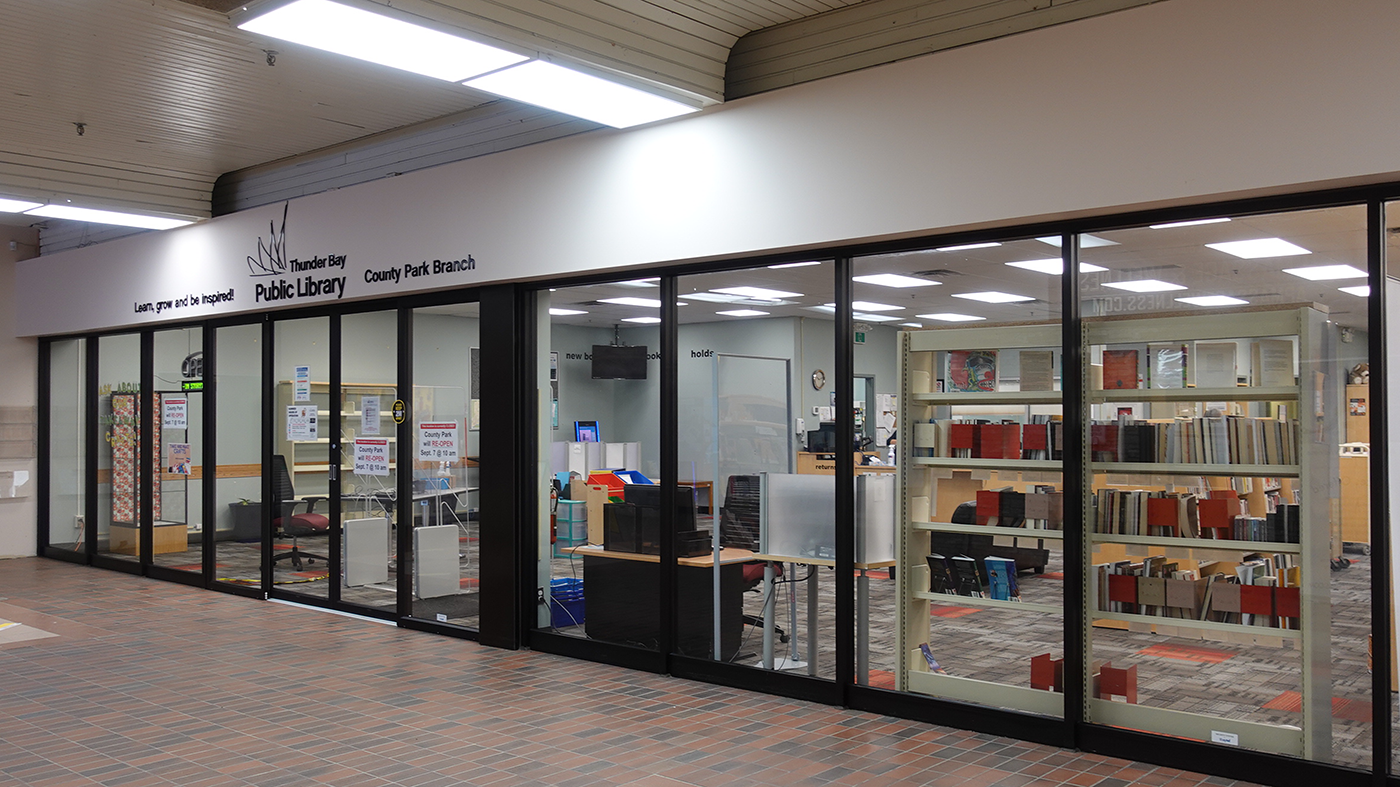
County Park operates within County Fair Plaza. Visit us for kids' drop-in storytimes, beading sessions and amazing window-painting events!